Tag Tidy Up Without the Headache
Tag&Rename by Softpointer is a focused music tag editor built to help users clean up and organize large audio libraries with less manual work. Its biggest strength is batch editing, which makes it much easier to update common metadata fields across many files at once. That practical approach suits users with messy local collections, especially when file names and tags no longer match. The trade-off is that the program feels more like a classic desktop utility than a polished modern media manager.
Top Recommended Alternative

Where Batch Editing Does the Heavy Lifting
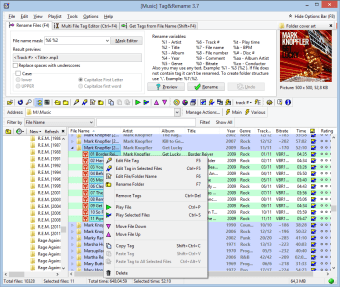
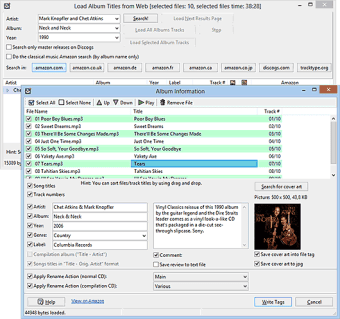
The software stands out for making audio metadata cleanup more efficient, whether the task involves editing tags directly, renaming files from tag data, or generating tags from filenames. It also supports a broad range of common audio formats, which helps when a music library includes more than just MP3 files. That flexibility is a real advantage for users with mixed collections. At the same time, the workflow is more functional than stylish, so the interface can feel dated beside newer tools.
More Than an ID3 Fixer
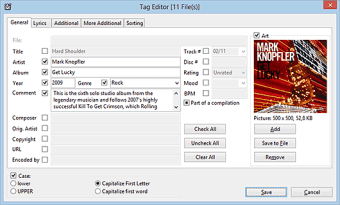
Tag&Rename is not limited to basic ID3 tag changes, which gives it more value than a simple one-purpose editor. It is designed for users who want a practical way to manage album information, tidy file names, and keep large libraries consistent without doing every change one file at a time. That makes it useful for routine organization work. However, its design and overall feel remain firmly utility-first, so users looking for a more modern layout can find it less inviting.
A Library Helper That Knows Its Job
Tag&Rename works well as a batch tag editor for people who care more about cleaning metadata than about flashy presentation. Its broad format support and efficient bulk editing tools make it a handy option for maintaining local music libraries. The main drawback is that the experience feels old-school, both visually and in how the interface presents its tools. For straightforward music organization, though, it stays focused on the job it was built to do.